For team scorekeepers
For whoever got handed the book
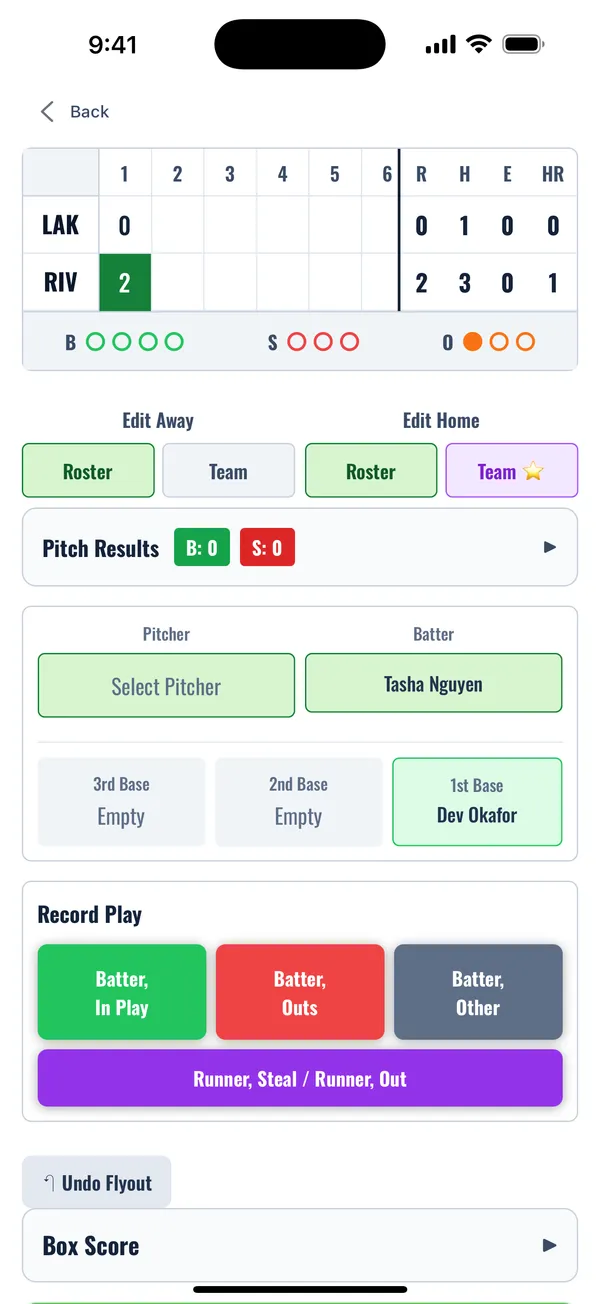
Maybe you volunteered. Maybe you were the only parent not holding a coffee. Either way, you are keeping score tonight. Score That Play is built for exactly you: no account, no rule book, four taps a play.
Updated · By the Score That Play team
Why it is easy
What the app does for you
- Four taps or fewer. Pick what happened, say where the ball went (or skip it), check the runners, confirm.
- Runners are worked out for you. The app proposes where everyone went; only forced runners move on a walk or an error. Change any of them with a tap.
- Force outs and the third out are handled. A run that crosses on a force-out third out does not count, and the app knows it.
- Undo is exact. The button names the play it will take back, and the game re-works itself.
- No signal, no problem. Plays are kept on the phone and sync when you get bars back.
- Only your team’s names. The other side is scored without a lineup.
When a play is confusing
Help for the tricky ones
- How to score a fielder’s choice — the batter reaches, but no hit.
- How to score a sacrifice fly — an out that is not an at-bat.
- Innings, mercy rules and time limits — when the game is over.
- The stats glossary — what every abbreviation on the box score means.
Want a paper backup in your bag? Print the free baseball scorebook sheet.
You do not have to do it alone
Share the job
Share the game and give the six-character code to someone else. With Two scorekeepers, each of you keeps your own team’s half-innings; with Crowd, anyone who joins can call a play. Everyone else can watch from the link.
When something else fits better
If your team already uses another app
If your coach or league keeps the official book on GameChanger, that is the one to score in: on GameChanger, baseball and softball scoring is set to Staff by default, and Staff can give you scorekeeper permission. If you are choosing for yourself, see the best free baseball scorekeeping apps.
Sources
Checked November 15, 2026
- GameChanger help: Scorekeeping and Live Streaming Permissions: Baseball and softball scoring defaults to Staff; Staff can name other members as scorekeepers.
Keep comparing
Related pages
- For coachesHand the book off and still get every player’s line.
- Best free baseball scorekeeping appsFree to score versus free to follow: which apps are which.
- Best scorekeeping app for slo-pitchTen fielders, no pitch counts, run-ahead rules and the clock.
- GameChanger alternativesScore That Play, iScore, Dugout Edge and paper, and who should stay.
- Scorekeeping app featuresEvery play the app records, every stat it works out, and how a game is kept.
Every scorekeeping app comparison · Score That Play home
Free · iPhone and Android
Get the app on this phone
On an iPhone it comes from the App Store; on Android it installs from your browser in a few seconds. Either way it opens from your home screen and keeps scoring with no signal.
Get the app
On your phone
Scan to get the app
Free: the App Store on an iPhone, straight from the browser on Android.